v0.7.12 · Unified AI Agent Workspace

Keep your AI coding agentsaround.

Run AI coding agents side by side on your computer. Control them from anywhere, continue previous sessions, and preview what they build.
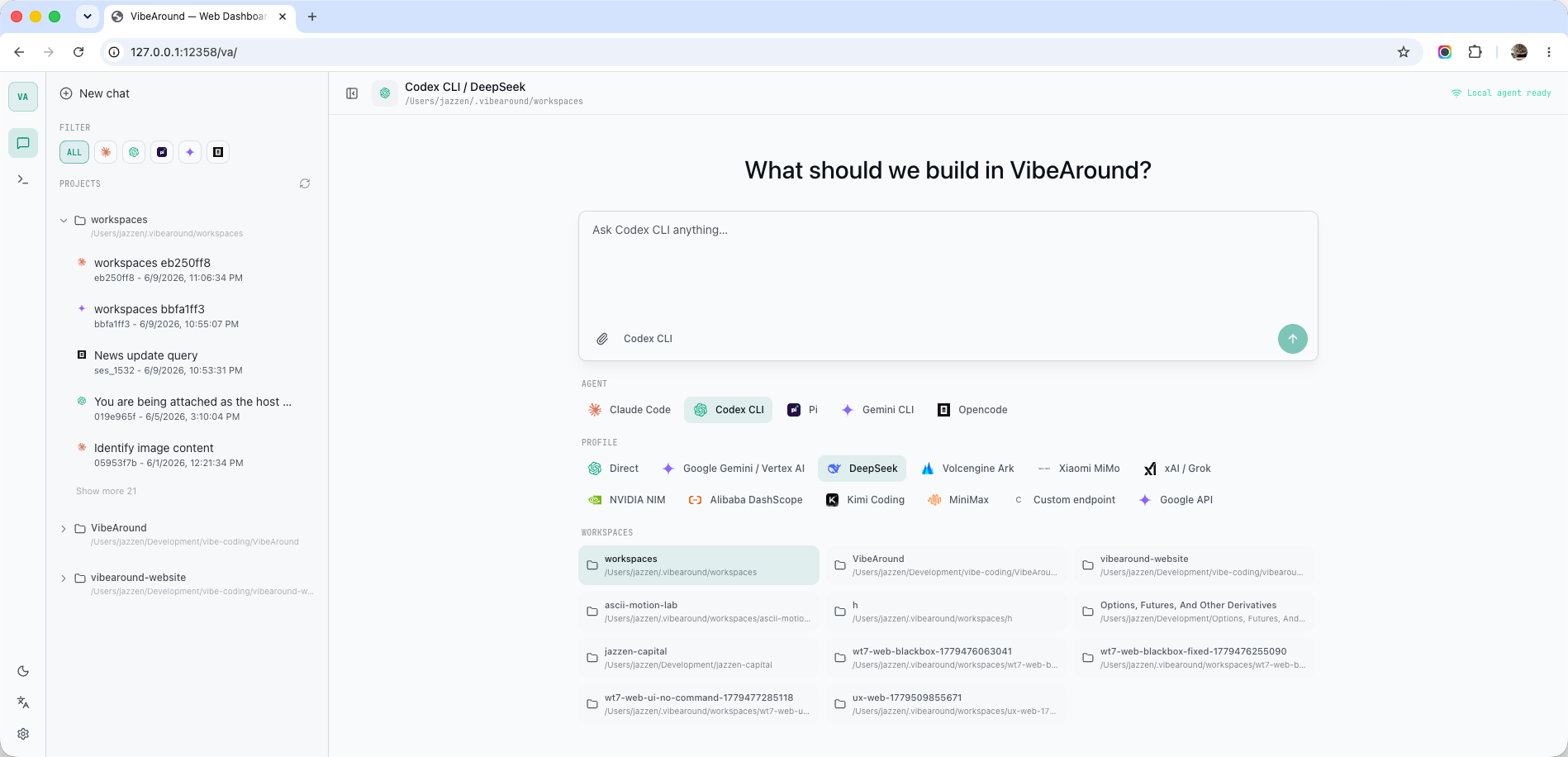
macOS · Windows · LinuxOpen source
VibeAround Web Dashboard with browser frame, agent selector, model profiles, workspaces, and local agent status
Agents
Claude DesktopClaude DesktopCodex desktop appCodex DesktopClaude CodeClaude CodeCodex CLICodex CLIGemini CLIGemini CLICursor CLICursor CLIKiro CLIKiro CLIQwen CodeQwen CodeOpenCodeOpenCodeOpenAIOpenAIPiPi
Providers
DeepSeekDeepSeekDashScopeDashScopeKimiKimiMiniMaxMiniMaxZ.AI / GLMZ.AI / GLMOpenRouterOpenRouterAzureAzureGeminiGeminiNVIDIA NIMNVIDIA NIMMimoMimoVolcEngineVolcEngineZ.AIZ.AIxAIxAI
Messaging apps
TelegramTelegramLarkLarkSlackSlackDiscordDiscordWeChatWeChatlanguageWeb chatWeComWeComDingTalkDingTalk
Agent Launcher

Launch the right agent with the right model.

Pick an agent, choose a model profile, and start working without editing each agent's config files. VibeAround launches Claude Desktop, the Codex desktop app, Claude Code, Codex CLI, Gemini CLI, Qwen Code, and more with third-party AI APIs.
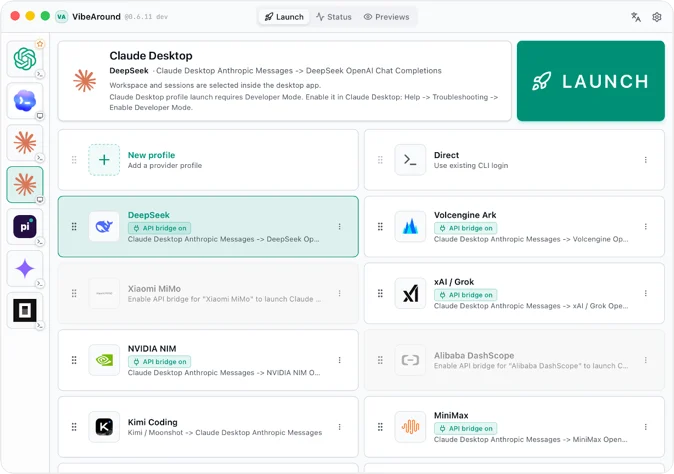
AI agent launcher
AI API profiles across agents
AI API bridge for model freedom
No changes to each agent's own config files
VibeAround desktop app launching Claude Desktop with API Bridge profiles, workspace selection, and Codex desktop app support
CLI workflow

Start VibeAround from va serve.

Use the npm package when you want VibeAround from a terminal first. va serve starts the local server and bundled Web Hub, va tui opens the terminal dashboard, and va launch runs saved agent profiles.

terminal
npm i @vibearound/cli
va serve
va tui
va launch --profile codex
VibeAround TUI welcome screen with local hub status and command line agent sessions
Remote Control

Step away, stay in control.

Continue your latest session from messaging apps, web, or mobile. Switch workspaces and agents with commands, and preview results remotely when an agent finishes a task.
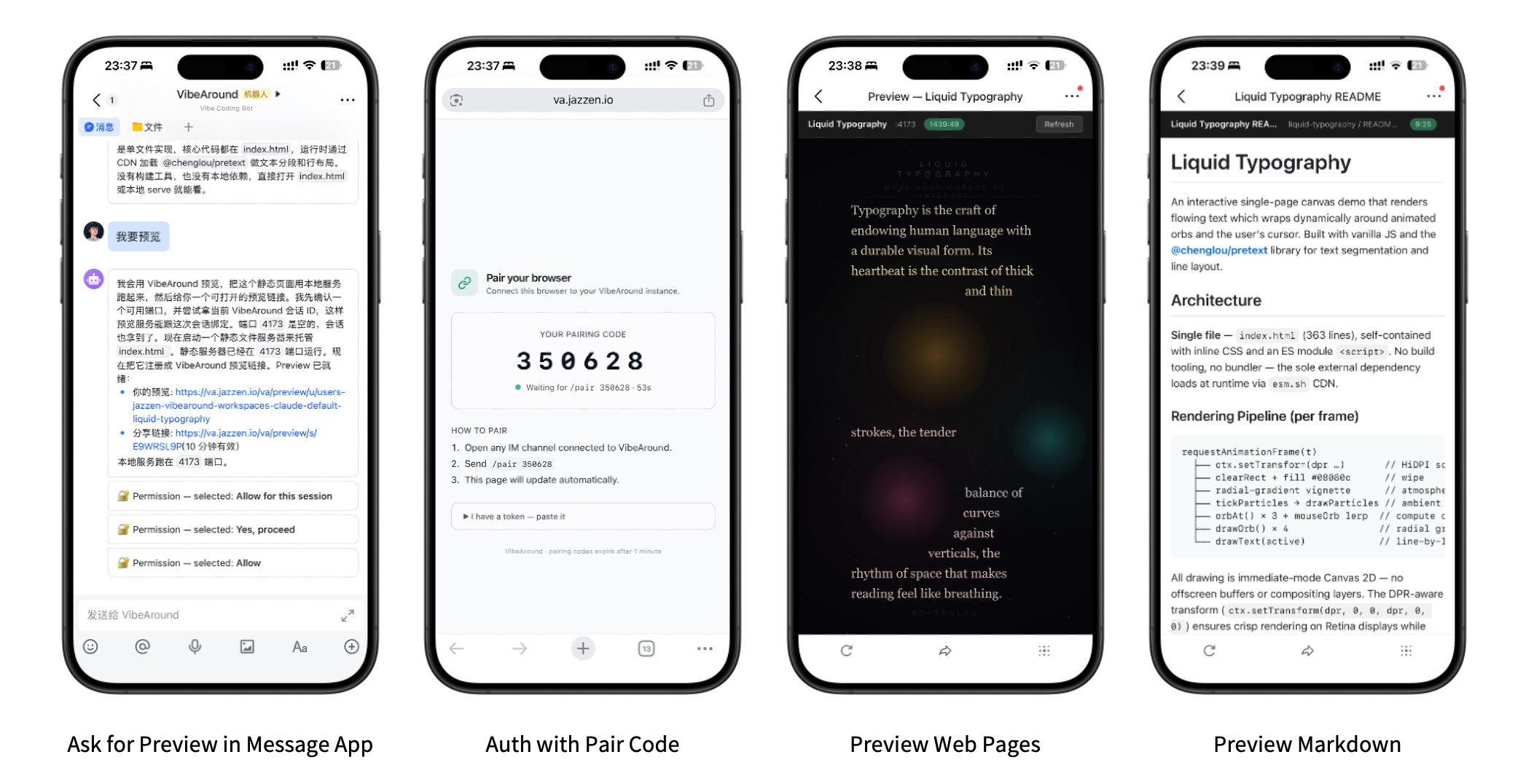
Messaging app chat
Continue the session from where you left
Quick switch between workspaces and agents
Remote preview for results agents built
Four phone screenshots showing messaging app preview request, browser pairing, web preview, and Markdown preview
Unified Workspace

One workspace for every agent.

Coordinate agents and sessions from a single workspace. Run agents side by side, or as a team, and drop into a real Web Terminal when chat is not enough.
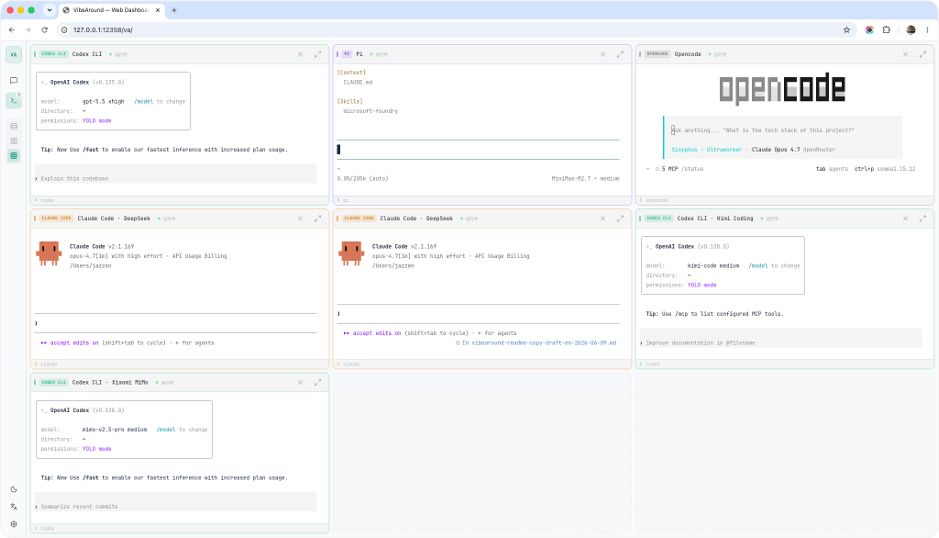
Manage agents and sessions from a single place
AI agent teams with three modes
Remote access with tunnel
Web Terminal
VibeAround Web Terminal showing multiple AI coding agents running side by side in browser panes
The v0.6 workspace loop

A daily hub for starting agent work.

01

Launch and resume

Start any agent in the right local workspace and pick sessions back up.

02

Work from the browser

Switch agents, attach files, inspect output, keep the session visible.

03

Review code changes

Rendered diffs and artifact views show what each agent changed.

04

Terminal and previews

Open PTY/tmux sessions and share authenticated dev-server previews.

05

Switch agents and providers

Move between agents and saved profiles while API Bridge routes models.

06

Continue from phone

Hand over and resume from web chat or your messaging apps.

Download - latest stable

Get VibeAround v0.7.12.

Star on GitHub450

Install the CLI from npm, or use the desktop packages for macOS, Windows, and Linux. Your repositories, credentials, and terminals stay on your machine.

FAQ

Questions, answered.

No. It coordinates local agent sessions running on your own machine, beside your existing repositories, terminals, credentials, and tools.
Yes. Install the npm package to get va. Use va serve for the local server, va tui for the terminal dashboard, and va launch for saved agent profiles.
Claude Code, Claude Desktop, Codex CLI, Codex desktop app, Gemini CLI, Cursor CLI, Kiro CLI, Qwen Code, and OpenCode - launched without editing each agent's own config files.
First-party APIs, OpenAI-compatible endpoints, and API Bridge profiles such as DeepSeek, DashScope, Kimi, MiniMax, Z.AI/GLM, Gemini, OpenRouter, Azure, and custom endpoints.
Yes. Session handover through browser and messaging channels lets you continue agent work away from the desktop.
This often means Claude Code or another agent is still reading API settings written by CC Switch or another config-switching tool. Remove stale provider fields such as an env block with base URL, API key, or proxy values from the agent config, then launch again from VibeAround.
Yes. Source, issues, and release notes live on GitHub.